How to Choose Privacy Filter?
Introduction
In an era where data security is crucial, a privacy filter is an essential accessory to protect your screen from prying eyes. Whether for business, personal, or financial data security, choosing the right privacy filter ensures a seamless balance between visibility, usability, and protection. This guide will help you select the best privacy filter based on your needs.
1. Determine Your Screen Size and Aspect Ratio
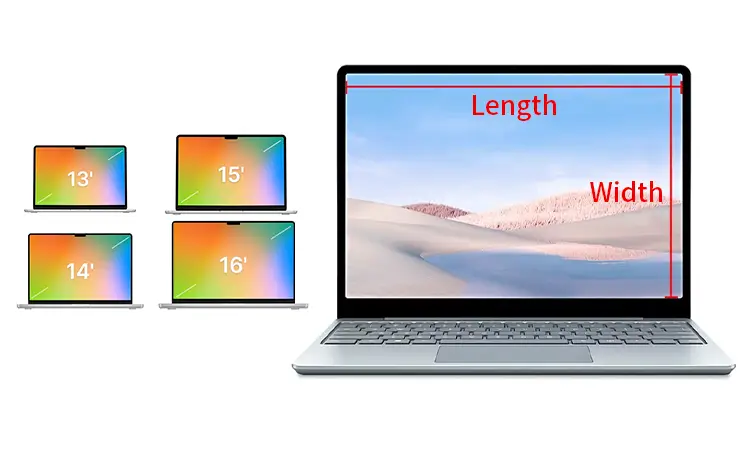
Before purchasing a privacy filter, ensure it matches your device’s screen size and aspect ratio. Most filters come in standard sizes for laptops, desktops, tablets, and smartphones.
- Common Aspect Ratios: 16:9, 16:10, 4:3, 3:2
- Measurement Tip: Measure the diagonal length of your screen (excluding bezels) for an accurate fit.
2. Choose Between Frameless and Framed Filters
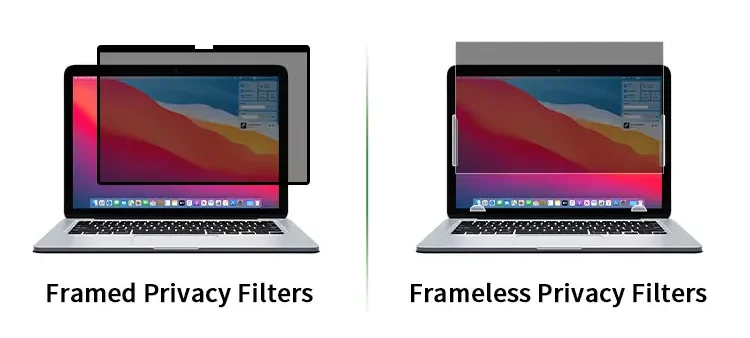
There are two main types of privacy filters:
- Frameless Privacy Filters– Thin, flexible sheets that attach directly to the screen using adhesive strips or magnetic edges.
- Framed Privacy Filters– Rigid panels with a frame that can be removed easily, making them ideal for shared workspaces.
3. Select the Privacy Viewing Angle
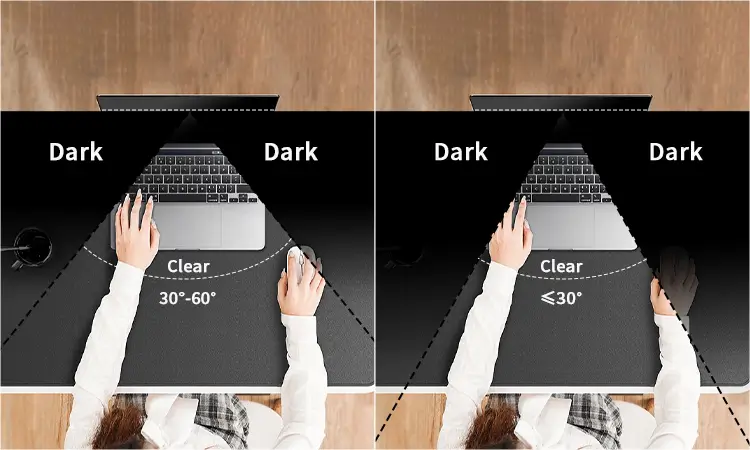
Privacy filters are designed to block side views, reducing visibility from a certain angle.
- Standard Privacy (30°-60°): Blocks side views beyond 30°, making it perfect for office use.
- Advanced Privacy (≤ 30°): Offers stricter privacy, preventing screen visibility from even slight angles.
4. Decide on the Filter Material
Privacy filters are made from different materials, each offering unique benefits:
- PET (Polyethylene Terephthalate): Lightweight and flexible, suitable for laptops and monitors.
- Tempered Glass: Durable and scratch-resistant, best for high-end laptops and tablets.
- Acrylic Panels: Rigid and sturdy, often used for desktop monitors.
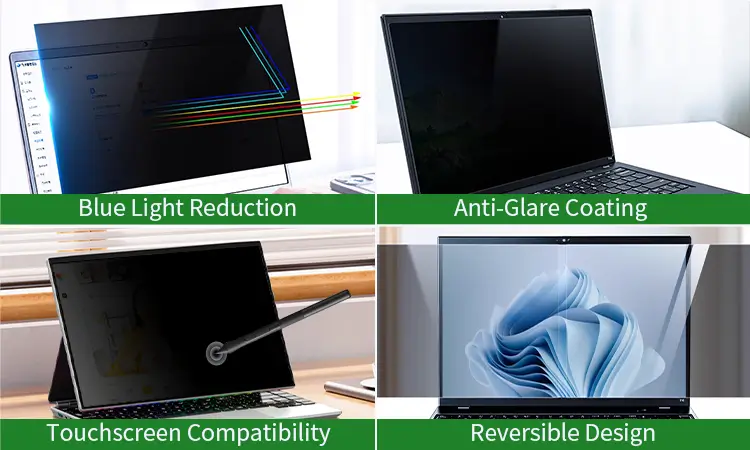
5. Check for Additional Features
When choosing a privacy filter, look for these additional features to enhance usability:
- Blue Light Reduction– Helps reduce eye strain and fatigue.
- Anti-Glare Coating– Minimizes screen reflections, making it ideal for bright environments.
- Touchscreen Compatibility– Essential for tablets and touchscreen laptops.
- Reversible Design– Some filters offer a glossy side for vibrant displays and a matte side for reduced glare.
6. Installation Method
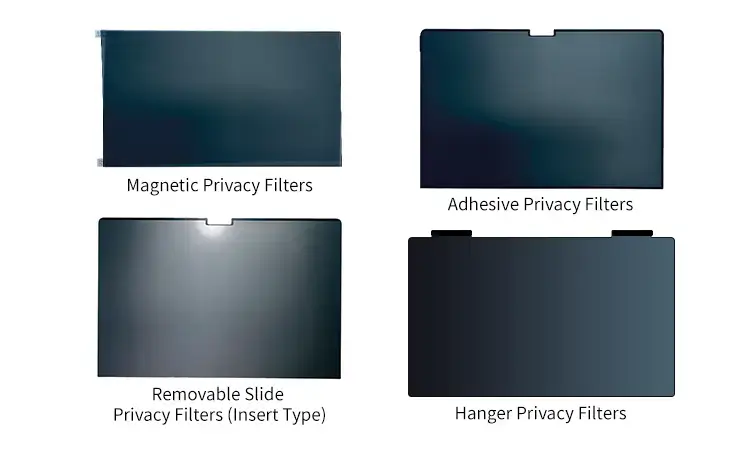
Different attachment methods can affect convenience and usability:
- Magnetic Attachment– Easy to install and remove, suitable for MacBooks and high-end laptops.
- Adhesive Strips– Semi-permanent and cost-effective but may leave residue.
- Slide-In Mounts– Great for shared workspaces where frequent removal is needed.
- Hanger Attachment– A detachable hanger design that allows easy placement over a monitor, ideal for office and public workstation use.
Looking for bulk privacy filters for laptops and monitors?
REEDEE offers high-quality PET privacy screen protectors with OEM customization.
Contact us now for pricing and samples!
Related Topics
1.What is a Privacy Filter?
2. Types of Privacy Filters: A Comprehensive Guide