How to Check if a Screen Protector is Good: A Complete Guide
You need a good screen protector to keep your screen from getting scratched, cracked, or otherwise messed up. Whether you’re a regular person, a store owner, or a screen protector maker, you need to know how to tell if a screen protector is good. Here’s how to do it.
Here’s how to check if a screen protector is good:
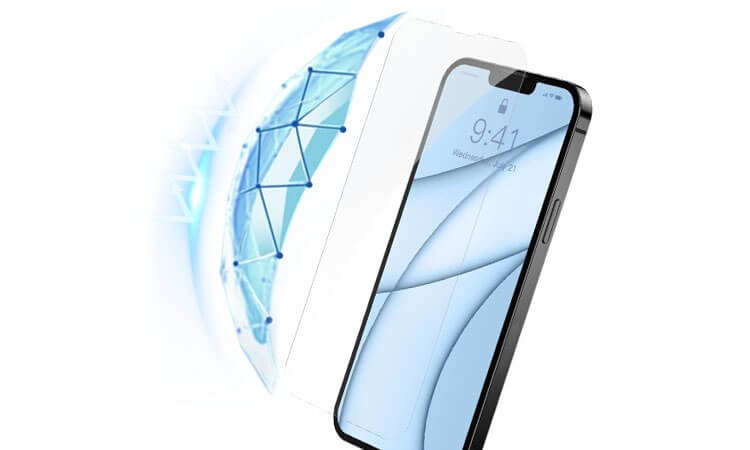
- Figure Out What It’s Made Of: Is it made of tempered glass, PET, or TPU?
- See If You Can See Through It: Can you see your screen clearly, and does it still look bright?
- Test How Well It Works When You Touch It: Does it still feel smooth and work right when you touch it?
- Make Sure It Sticks: Does it stick to your screen without any bubbles or gaps?
- Check How Strong It Is: Does it get scratched or break when you try to scratch it or drop it?
- Look for Extra Stuff: Does it have an oleophobic coating, does it work with your phone, is it easy to put on, does it have a nice edge, and does it come with a warranty?
Alright, let me break down the process of quality inspection for different types of screen protectors.
1. Tempered Glass Check Process:
HD CLEAR Tempered Glass Check Process:
- Transparency Test: Make sure the glass is crystal clear and doesn’t mess with the brightness or color of the screen.
- Scratch Test: Use keys or coins to lightly scratch the surface. Good quality HD clear tempered glass should be able to handle everyday objects without getting scratched.
- Touch Sensitivity Test: Swipe, type, and do multi-touch actions to make sure there’s no lag or missed inputs.
- Adhesion Test: Smoothly apply the protector using an installation kit. Check for air bubbles or gaps around the edges.
- Durability Test: Drop small objects like pens or coins from a short height onto the protector to see if it can handle minor impacts without cracking.
Privacy Tempered Glass Check Process:
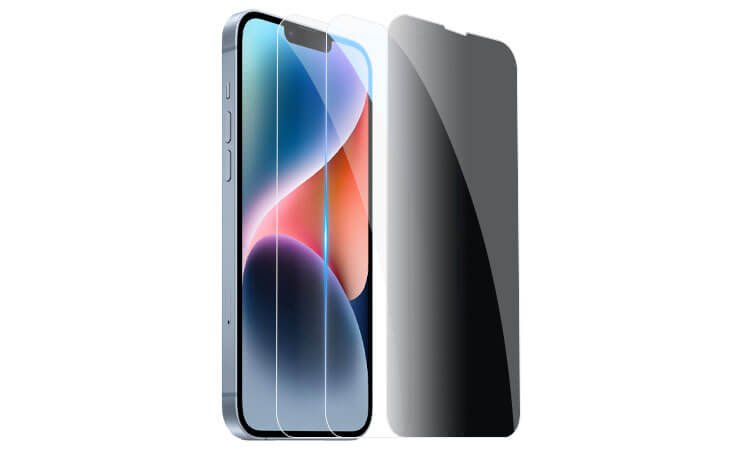
- Privacy Angle Test: Tilt your device at different angles to make sure the screen content becomes hidden from side views but remains clear when you look at it straight on.
- Transparency Test: Make sure the privacy layer doesn’t make the screen too dark or blurry when you look at it head-on.
- Touch Sensitivity Test: Make sure the touch response is smooth and accurate even with the extra privacy layer.
- Adhesion and Durability Tests: Do the same steps as with HD clear tempered glass to check the adhesion and durability.
Anti-blue Light Tempered Glass Check Process:
- Blue Light Filter Test: Use a blue light filter test card or app to make sure the protector actually reduces blue light.
- Transparency and Clarity Test: Make sure the anti-blue light coating doesn’t mess with the colors or clarity of the screen.
- Touch Sensitivity Test: Do touch gestures to make sure the touch sensitivity isn’t affected by the anti-blue light layer.
- Adhesion and Durability Tests: Do the same steps as with HD clear tempered glass to check the adhesion and durability.
Anti-reflective Tempered Glass Check Process:
- Anti-reflective Coating Test: Look at the screen under bright lights to make sure you can see it without any annoying reflections.
- Transparency and Clarity Test: Make sure the anti-reflective coating doesn’t make the screen look dim or weird.
- Touch Sensitivity Test: Make sure the touch screen still works great even with the anti-reflective layer on it.
- Adhesion and Durability Tests: Do the same tests we do for our regular glass to make sure it sticks and doesn’t break.
2. PET Screen Protector Check Process:
HD CLEAR PET Screen Protector Check Process:
- Transparency Test: Make sure you can see the screen clearly without it looking weird or dim.
- Scratch Resistance Test: Try to scratch it with your keys or a coin. It shouldn’t get scratched up from normal use.
- Flexibility Test: Bend it a little to make sure it doesn’t break.
- Touch Sensitivity Test: Try using the touch screen with it on to make sure it still works great.
- Adhesion Test: Put it on the screen and make sure it sticks without any bubbles or gaps around the edges.
Privacy PET Screen Protector Check Process:
- Privacy Angle Test: Tilt your phone to the side and make sure people can’t see your screen, but you can still see it straight on.
- Transparency/Clarity Tests: Make sure the privacy layer doesn’t make the screen look dim or weird when you’re looking straight at it.
- Touch Sensitivity Tests: Make sure the touch screen still works great even with the privacy layer on it.
- Adhesion/Durability Tests: Do the same tests we do for our regular PET protectors to make sure it sticks and doesn’t break.
Anti-blue Light PET Screen Protector Check Process:
- Blue Light Filter Tests: Use blue light filter test card/app to make sure it actually reduces blue light.
- Transparency/Clarity Tests: Make sure the anti-blue light coating doesn’t make the screen look weird or blurry.
- Touch Sensitivity Tests: Make sure the touch screen still works well with the anti-blue light layer on top.
- Adhesion/Durability Tests: Do the same tests we do for our regular clear screen protectors.
Anti-reflective PET Screen Protector Check Process:
- Anti-reflective Coating Tests: Look at the screen under bright lights to make sure it doesn’t reflect too much and make it hard to see.
- Transparency/Clarity Tests: Make sure the anti-reflective coating doesn’t make the screen look dim or change the colors.
- Touch Sensitivity Tests: Make sure the touch screen still works well with the anti-reflective layer on top.
- Adhesion/Durability Tests: Do the same tests we do for our regular clear screen protectors.
3. TPU Screen Protector Check Process:
HD CLEAR TPU Screen Protector Check Process:
- Transparency Tests: Make sure you can see the screen clearly without it looking weird.
- Scratch Resistance Tests : Use keys or coins to lightly scratch the surface to see if it gets messed up.
- Flexibility/Self-Healing Properties Tests :Bend it a little to see if it bends back and if any scratches go away.
- Touch Sensitivity Tests : Try different touch gestures to make sure it works like it should.
- Adhesion/Durability Tests : Put it on the screen and look for bubbles or gaps around the edges.
Privacy TPU Screen Protector Check Process:
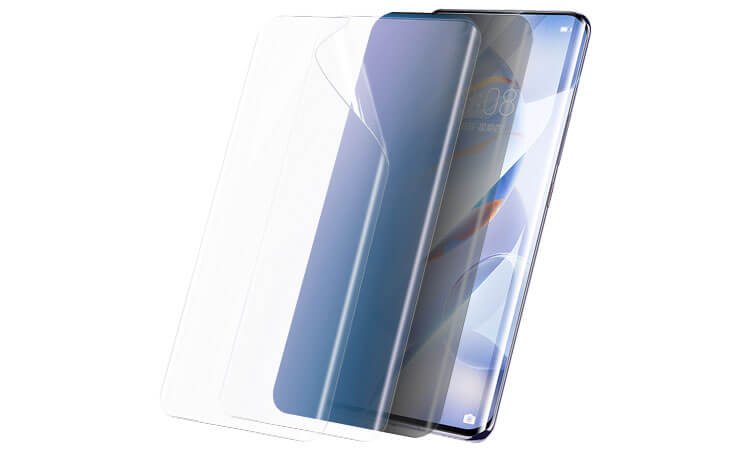
- Privacy Angle Tests: Tilt the device to different angles to make sure people can’t see the screen from the side but you can see it straight on.
- Transparency/Clarity Tests : Make sure the privacy layer doesn’t make the screen look too dark or blurry when you look straight at it.
- Touch Sensitivity Tests : Make sure the touch screen still works well with the privacy layer on top.
- Adhesion/Durability Tests : Do the same tests we do for our regular clear TPU screen protectors.
How We Test Our Anti-Blue Light TPU Screen Protectors:
- Blue Light Filter Test: We use a blue light filter test card/app to check if our anti-blue light coating effectively reduces blue light emissions.
- Transparency/Clarity Test: We make sure that our anti-blue light coating doesn’t mess with the colors or clarity of your screen.
- Touch Sensitivity Test: We perform touch gestures to make sure that our anti-blue light layer doesn’t mess with your screen’s touch sensitivity.
- Adhesion/Durability Test: We follow the same steps we use to test our HD clear TPU protectors to make sure that our anti-blue light TPU protectors stick to your screen and last.
How We Test Our Anti-Reflective TPU Screen Protectors:
- Anti-Reflective Coating Test: We look at your screen under bright lights to make sure that our anti-reflective coating reduces reflections and makes your screen easier to see.
- Transparency/Clarity Test: We make sure that our anti-reflective coating doesn’t make your screen dimmer or mess with the colors.
- Touch Sensitivity Test: We make sure that our anti-reflective layer doesn’t mess with your screen’s touch sensitivity.
- Adhesion/Durability Test: We follow the same steps we use to test our HD clear TPU protectors to make sure that our anti-reflective TPU protectors stick to your screen and last.
Conclusion
In conclusion, testing the quality of a screen protector is a detailed process that depends on the material and specific features of the protector. Whether it’s tempered glass, PET, or TPU, each type has its own criteria for transparency, touch sensitivity, adhesion, and durability. Special features like privacy protection, anti-blue light filtering, and anti-reflective coatings require specific tests to make sure they work well without messing with your screen. By following these detailed tests, you can make sure that you’re getting the best screen protector for your device that will protect your screen and work well.